
Hey!
hope you are enjoying the hot summer so far. I am back from a quick break to refill the energy a bit.
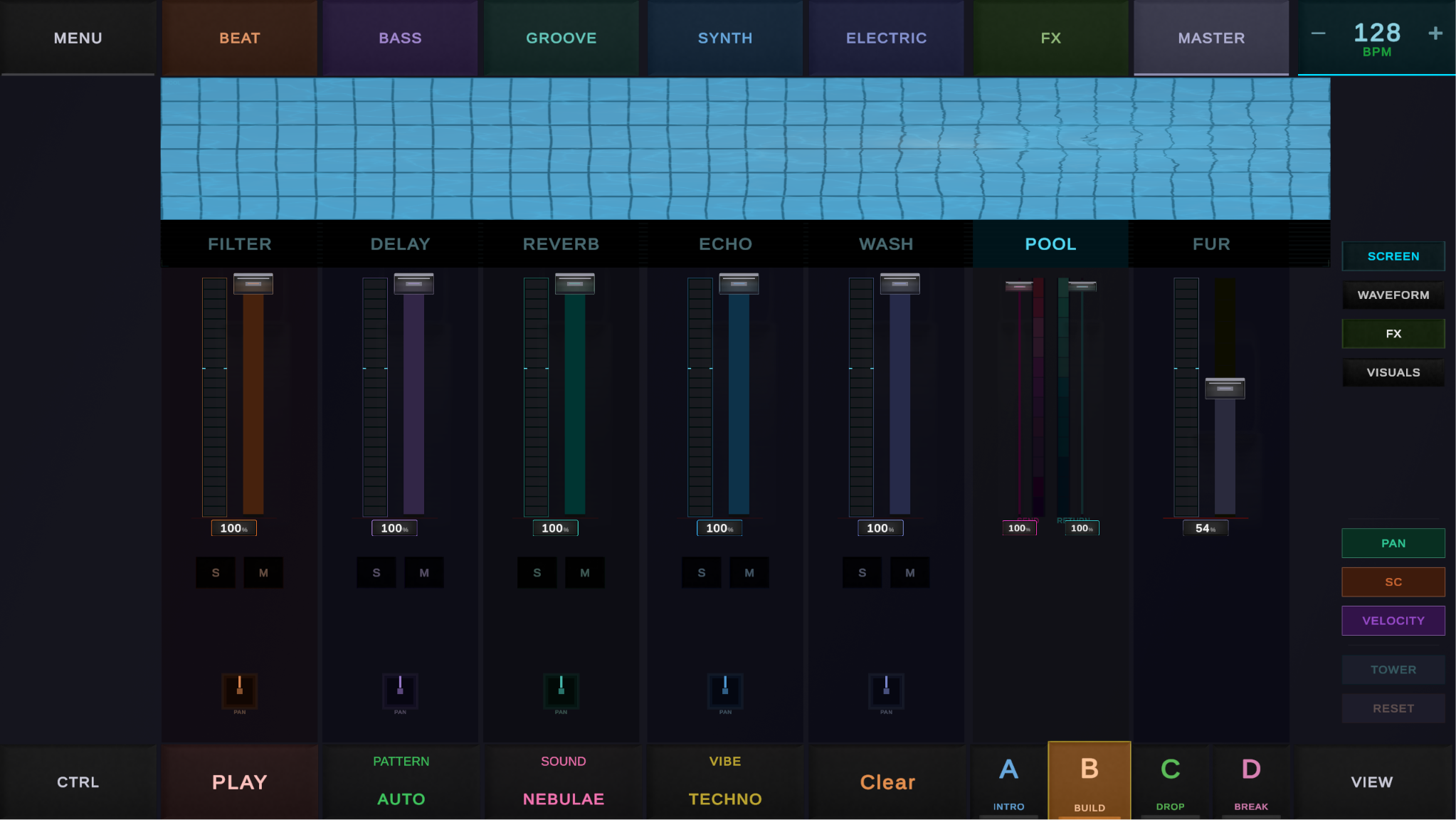
Since the last post I continued with the visual work, but this time it went deeper into the core visuals and also the sound engine. The goal was not only to make DAWG look better, but also make the interface explain the sound better while you are using it.
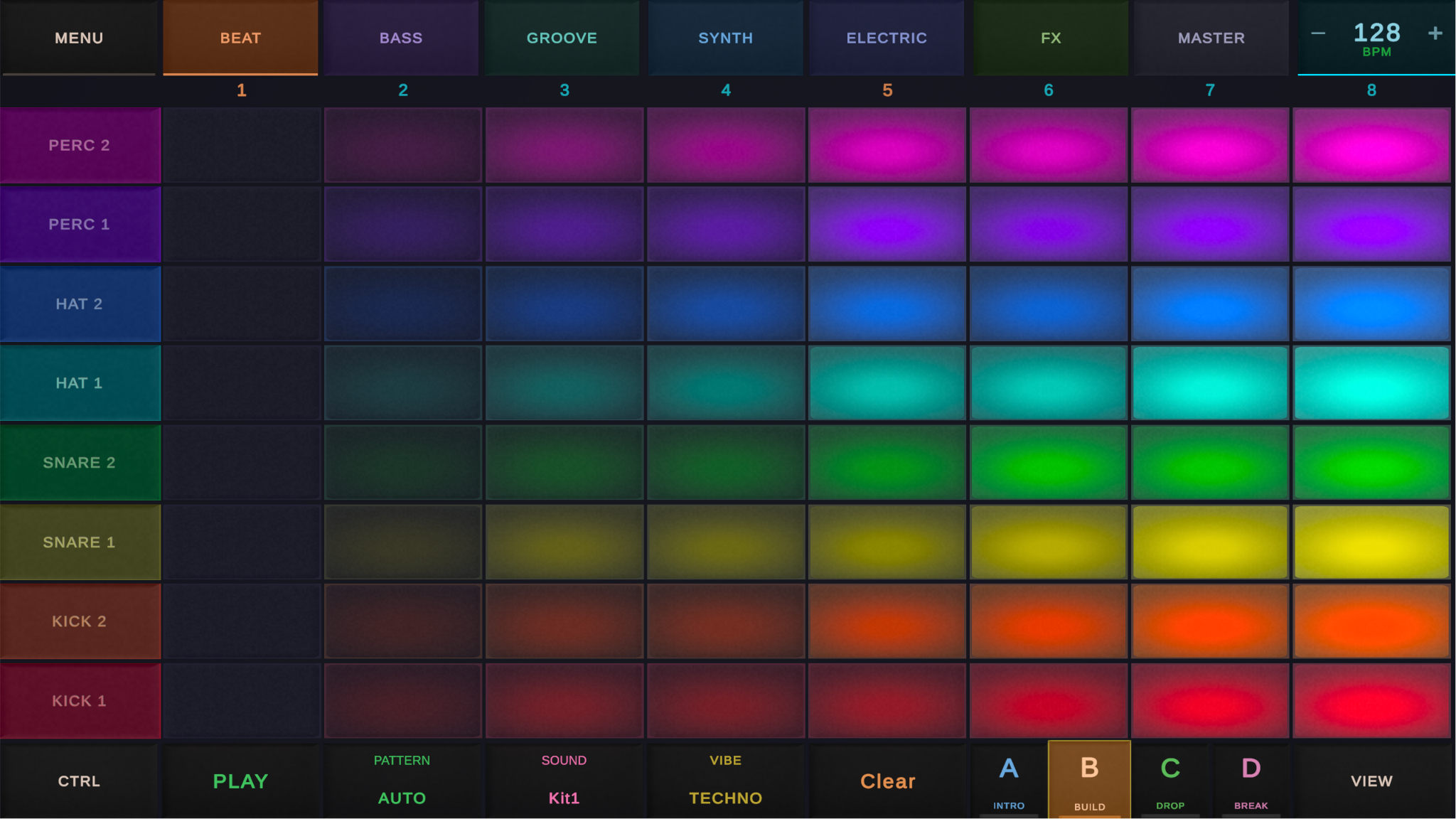
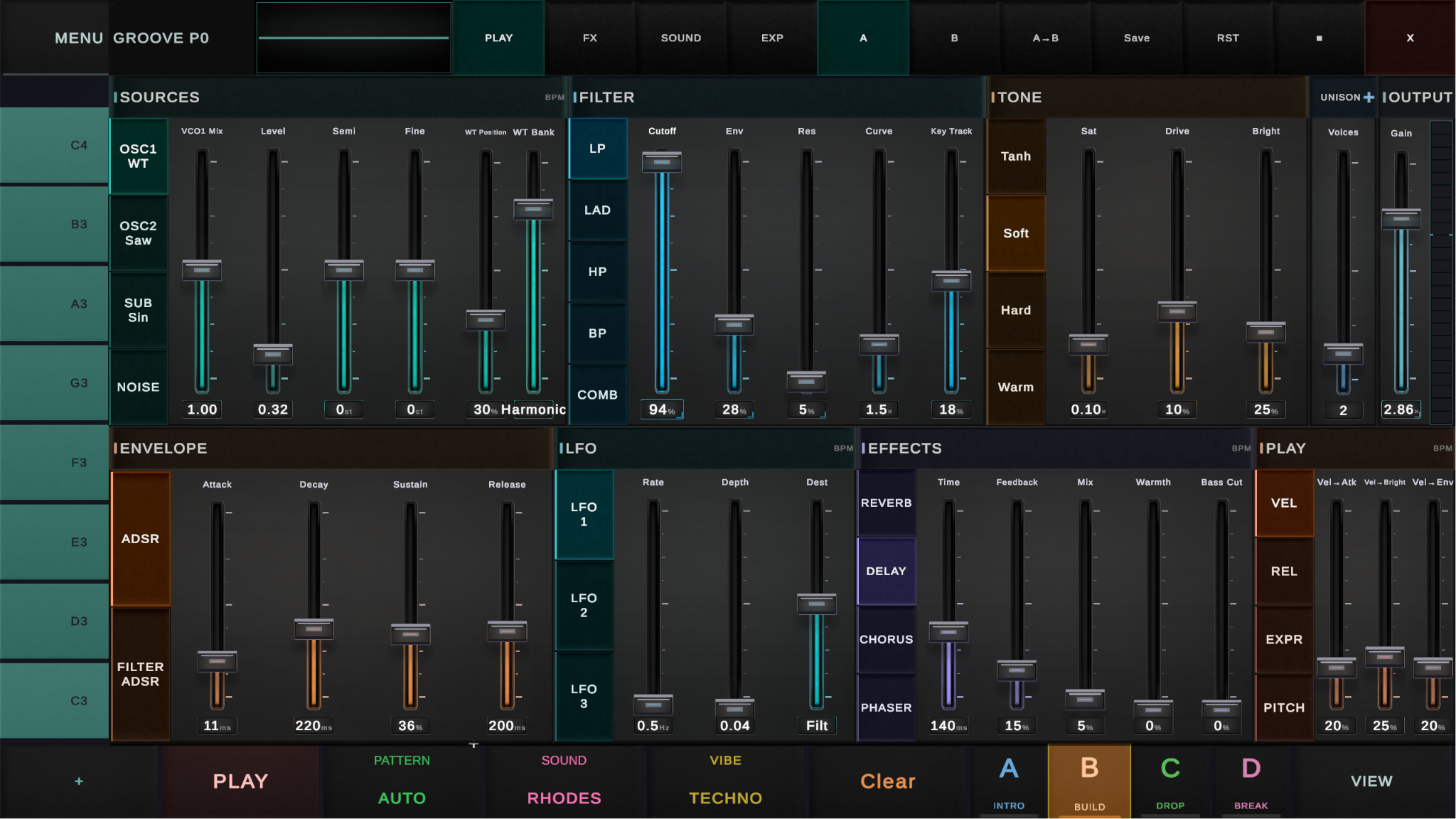
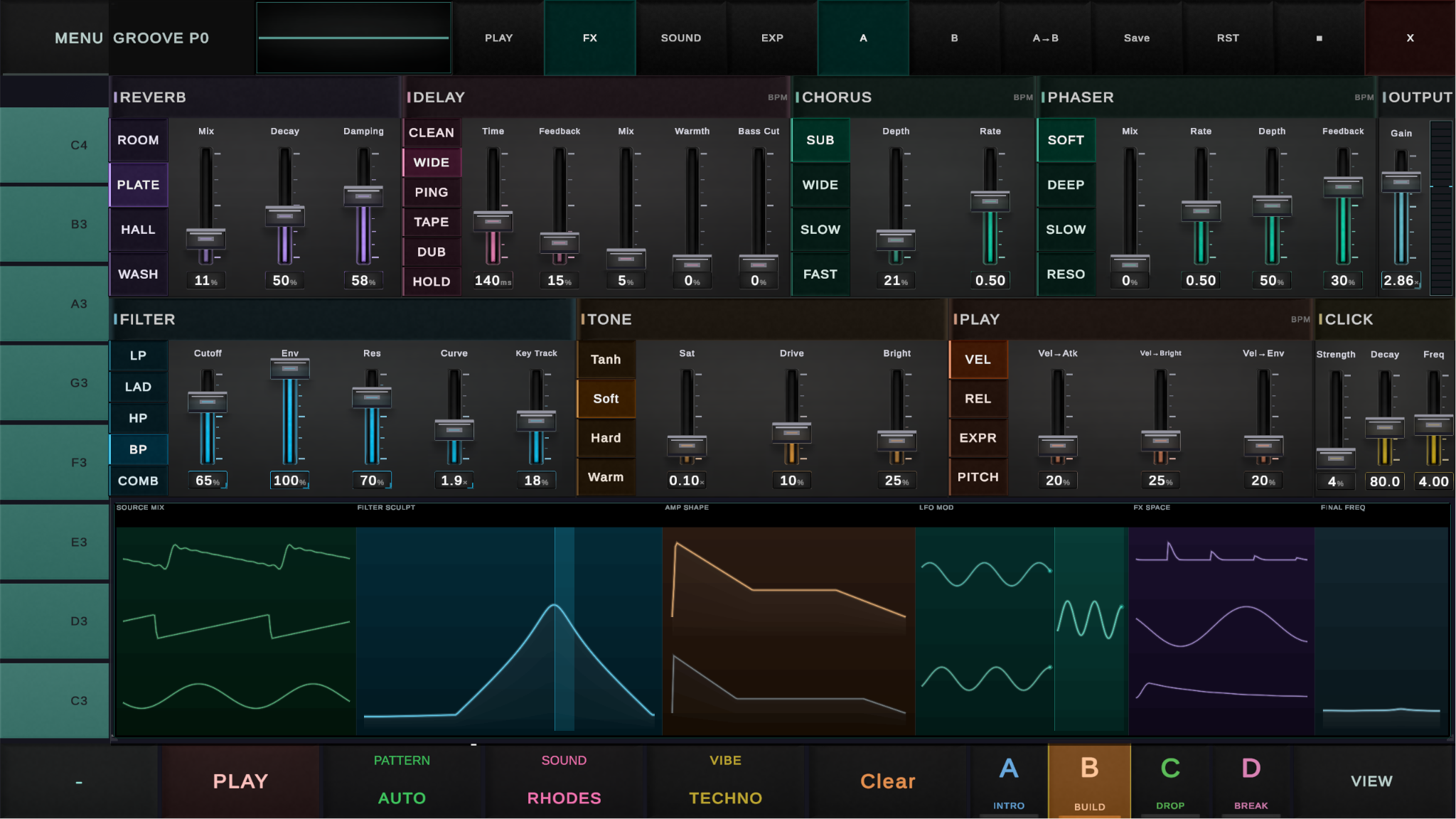
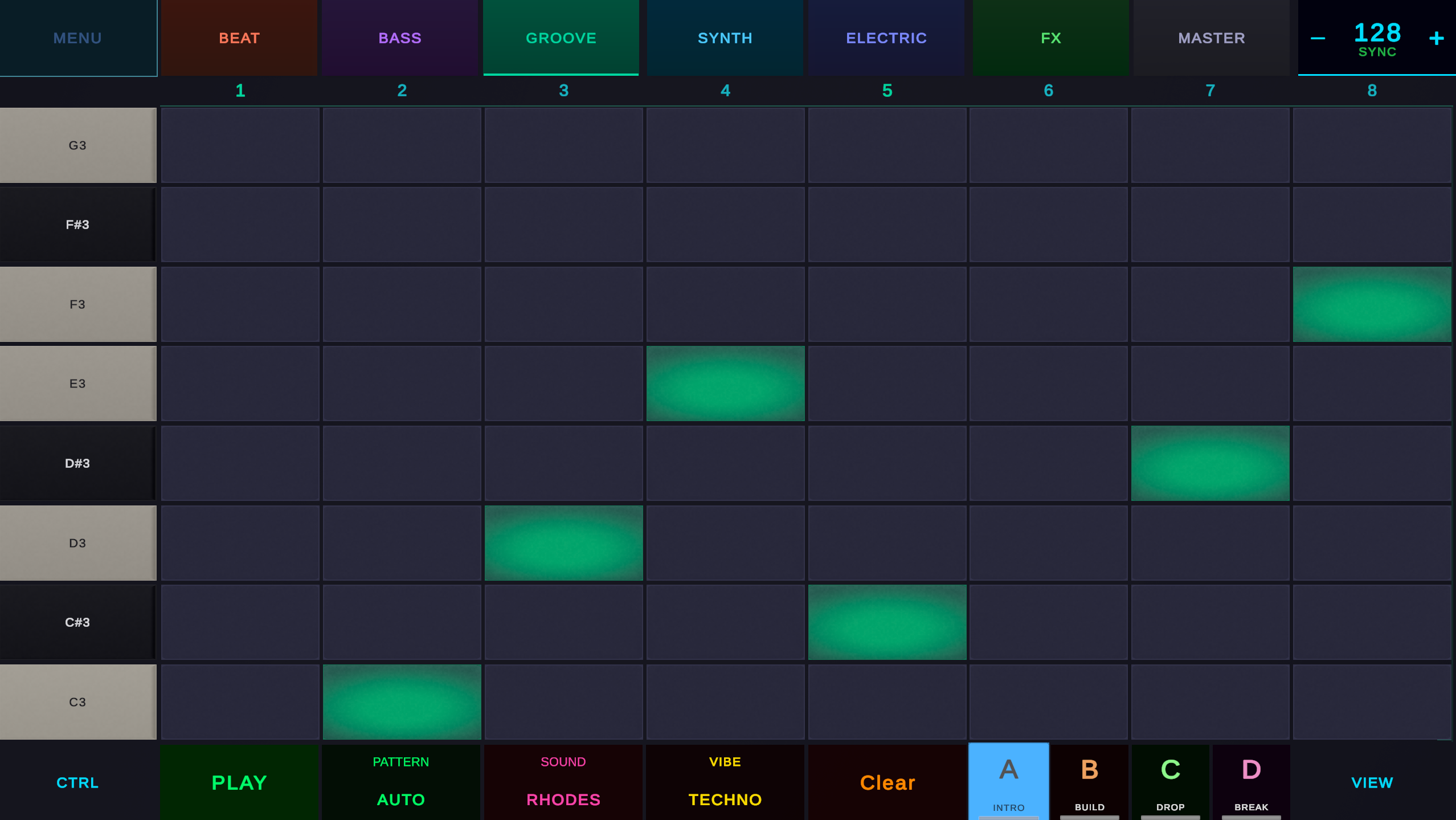
Main things I improved:
- Drum & pad visuals: Work went into the rubber pad feel, shaders, labels, velocity feedback, button press feedback.
- Tuning panel overhaul: Tuning panel got a big GUI cleanup with better materials, cleaner sections, faders, improved contrast, colors and section layout.
- New live screen section: Tuning panel now has a second screen area that opens from below and shows waveforms with real time visual feedback.
- DSP visualisation: DSP means Digital Signal Processing, basically the part that generates and changes the sound in real time. The new visualisers show things like OSC, LFO, filter, envelope and FX movement.
- Smarter waveform & signal visuals: The visualisation is not just one static line. It reacts to the current sound state and mixes different parts of the signal flow, so you can see the sound changing while you edit it.
- Audio improvements: I continued tightening the DSP engine piece by piece: filters, resonance, envelopes, delay, saturation, retrigger behaviour, FX paths and Burst DSP work. A lot of this is under the hood, but it makes the instrument feel more stable and alive.
This should help new users understand what the controls do, while also giving advanced users better feedback.
The short version is: better looking pads, an improved tuning panel, live sound visualisation and tighter and more premium audio.
I encourage all interested testers to get in touch (PC, Android, Linux; Steam Deck).
Hope you like the progress and stay cool!
Related